
PDFlavor Sign: signature workflows for document approval
PDFlavor Sign helps teams design signature-ready workflows around PDF files, approval cycles, and secure exchange requirements.
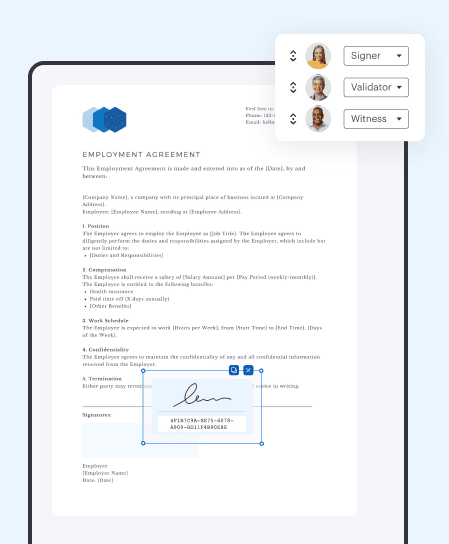
When to use signature workflows
Use signing workflows for contracts, policy acknowledgements, onboarding forms, and approvals where traceability matters.
Preparation best practices
Before sending a document for signature, ensure page order, naming, and version references are finalized to avoid repeated signature loops.
Business value
Structured signature processes reduce delays, improve accountability, and simplify document tracking for operations teams.
Popular free tools on PDFlavor
Complete guide: how to get better PDF results with a free service
Frequently asked questions
Is PDFlavor really free?
Yes. Core PDF operations are available for free so users can complete everyday document tasks without subscription friction. The goal is to keep essential workflows accessible while maintaining quality and speed.
Which tools are most used?
The most used actions are usually merge, split, compress, convert, protect, and unlock. These solve the majority of work and study document scenarios and are optimized for quick completion.
How can I improve PDF quality after conversion?
Use well-structured source files, avoid repeated multi-format conversions, and perform one final review before sending documents. If needed, run organize and page cleanup as the last step.